



01
Workflow 01
Import Directly
Bring an existing Procore or Autodesk submittal into Remy.
Best for: Existing Procore or Autodesk submittals
Starts inEnds in
01Select a submittal to import
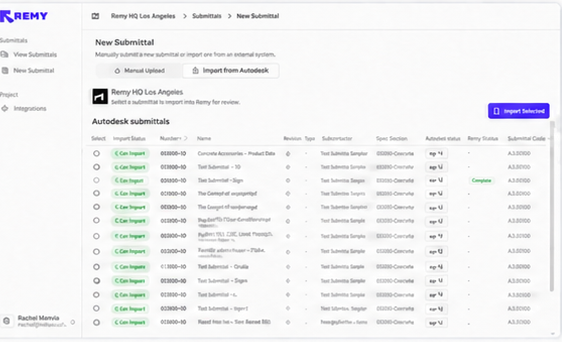
02Confirm the import
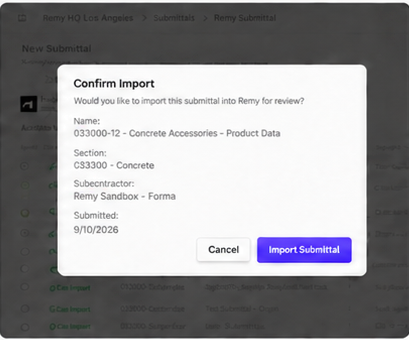
03Review and export back

04Export to the linked Procore/Autodesk record
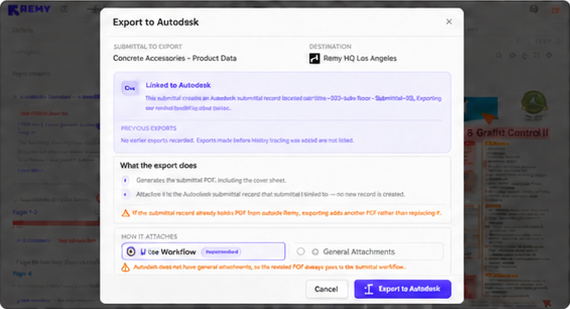
Synced back to Procore or Autodesk
Your reviewed submittal is exported back to the linked record.
02
Workflow 02
Upload + Link
Upload a PDF and connect it to a record that already exists.
Best for: Files that need to connect to an existing record
Starts inEnds in
01Upload a submittal PDF manually
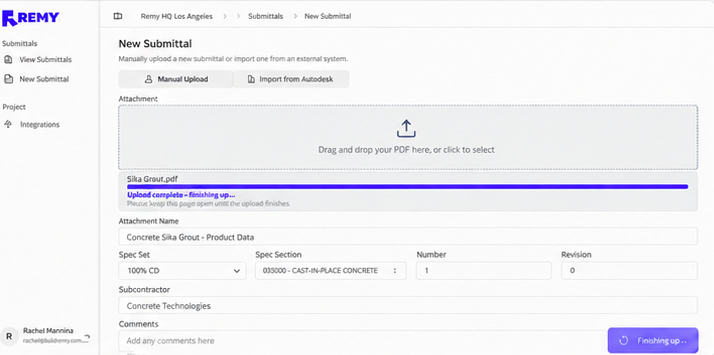
02Choose “Link to Existing Record”

03Select the Procore/Autodesk record to link

00End
Synced back to Procore or Autodesk
Your upload is linked to the record you selected.
03
Workflow 03
Upload + Create
Upload a PDF and create a brand-new record from it.
Best for: New submittals starting in Remy
Starts inEnds in
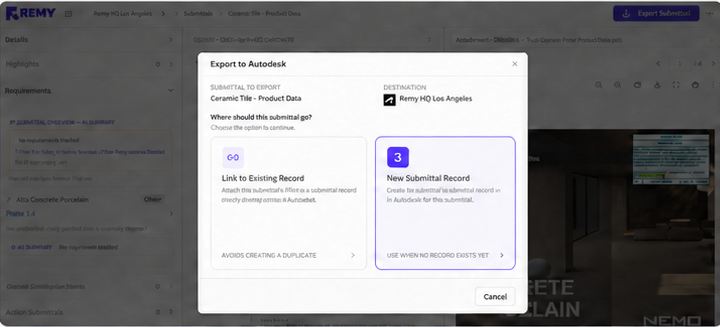
01Select “New Submittal Record”
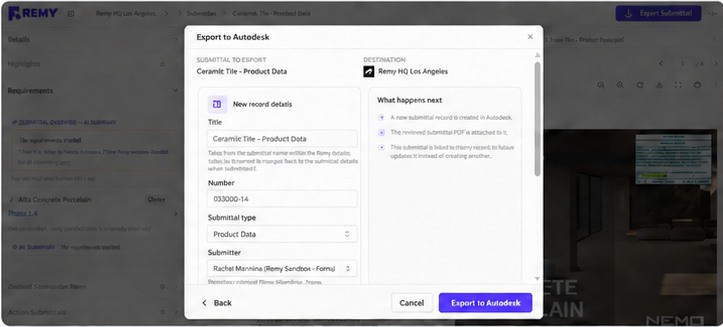
02Fill in the new record details
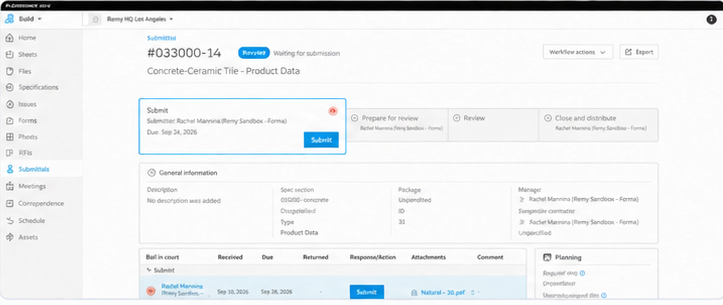
03Record created in Procore/Autodesk
04The exported PDF with Remy coversheet

Synced back to Procore or Autodesk
The new record is created with the Remy coversheet attached.